
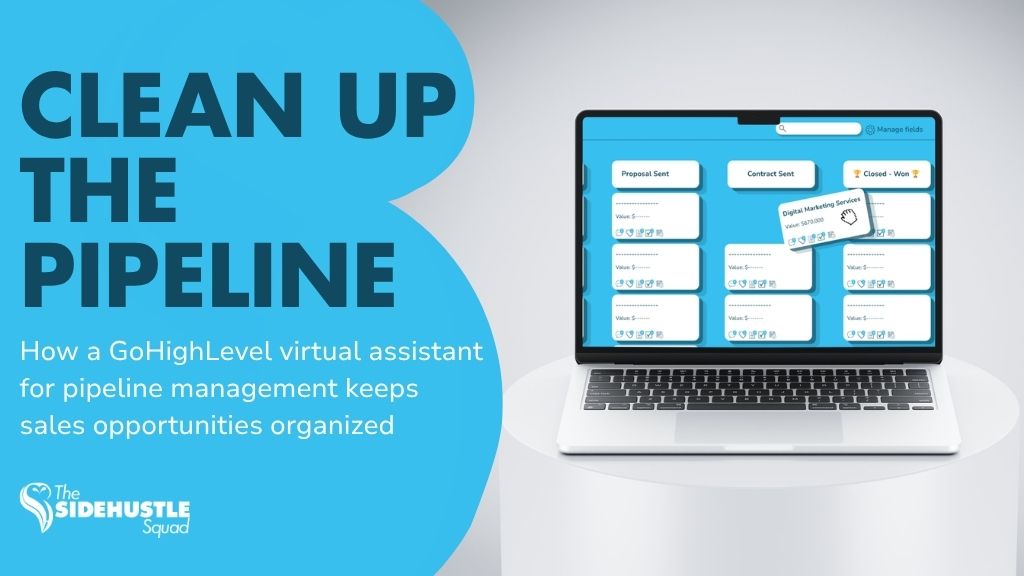
A CRM pipeline is only useful if it reflects what is actually happening with your leads.
Many businesses capture inquiries successfully but struggle to keep opportunity
stages updated. A booked call may still sit in “New Lead.” A no-show may never get
moved. A lost opportunity may remain open for weeks. Over time, the pipeline stops
being a useful sales tool and becomes a messy list.
A GoHighLevel virtual assistant for pipeline management helps keep
opportunities accurate, visible, and easier for the sales team to act on.
The VA does not replace sales strategy. Instead, they manage the repeatable CRM
tasks that keep the pipeline aligned with real conversations and next steps.
Businesses that need stronger follow-through can also explore lead follow-up and
client growth support.
Why GoHighLevel Pipelines Get Messy Over Time
Pipeline problems usually build slowly.
A few missed updates may not seem serious, but over time they create confusion
across the sales process.
Common issues include:
• Leads not moved after replying
• Booked calls still sitting in “New Lead”
• No-shows not tracked
• Lost deals left open
• Opportunity owners not assigned correctly
• Follow-up tasks missing
• Stale opportunities staying active for too long
Without regular cleanup, the team may not know which opportunities are active,
which need follow-up, and which should already be closed.
HighLevel’s pipeline tools are designed to organize opportunities by stage and
status, making GoHighLevel pipelines and opportunities useful for tracking
movement through a sales process.
The platform can provide structure, but someone still needs to maintain that
structure.
What a GoHighLevel Virtual Assistant for Pipeline Management Can Handle
A GoHighLevel virtual assistant for pipeline management can take ownership of the routine CRM tasks that keep sales opportunities organized.
Reviewing New Opportunities
The VA can check newly created opportunities and confirm that each lead is in the correct pipeline.
Updating Stages
When a lead replies, books a call, reschedules, no-shows, or moves forward, the opportunity stage should reflect that change.
Checking Assigned Owners
The VA can verify that each opportunity is assigned to the correct salesperson or team member.
Adding Notes
Important information from emails, calls, or messages can be added to the contact or opportunity record so the next person has context.
Creating Follow-Up Tasks
If a prospect needs another call, email, or reminder, the VA can create the appropriate task and due date.
Flagging Stale Opportunities
Opportunities that have not moved for a defined period can be reviewed and flagged for follow-up.
Preparing Pipeline Reports
The VA can prepare simple reports showing:
• New opportunities
• Active deals
• Stale leads
• Booked appointments
• Lost opportunities
• Follow-ups due
Businesses using GHL alongside other support systems can also explore business
automation and VA services.
GoHighLevel Virtual Assistant for Pipeline Management Task Checklist
A simple daily or weekly checklist may include:
1. Check new opportunities
2. Confirm the correct pipeline
3. Verify the current stage
4. Review owner assignment
5. Add notes from recent replies
6. Move closed or lost opportunities
7. Create follow-up tasks
8. Flag stale opportunities
9. Check overdue tasks
10. Prepare a short pipeline summary
This helps make pipeline maintenance repeatable instead of relying on memory.
How Pipeline Management Supports Better Sales Follow-Up
A clean pipeline makes it easier for the sales team to decide what needs attention.
Sales Teams See What Needs Action
When stages are accurate, salespeople can quickly identify which leads need calls, follow-ups, or appointments.
Owners Know Which Leads Are Active
Correct assignment prevents leads from sitting unattended because no one knows who owns them.
Follow-Ups Happen at the Right Time
Tasks and reminders help reduce the chance of warm prospects being forgotten.
Reporting Becomes More Accurate
Pipeline reports are only useful when the underlying data is current.
If old opportunities remain open or booked calls are still marked as new leads,
reports can give leadership the wrong picture of sales activity.
GoHighLevel can also respond to opportunity changes through automation. For
example, the Opportunity Changed workflow trigger can initiate actions when
opportunity details are updated.
Beginner-Friendly GHL Pipeline Workflow
A basic pipeline process does not need to be complicated.
Step 1: Lead Enters the CRM
A prospect submits a form, calls the business, or enters through another lead source.
Step 2: Opportunity Is Created
GoHighLevel creates an opportunity in the appropriate pipeline.
Step 3: VA Checks the Details
The VA confirms the contact information, source, pipeline, stage, and owner.
Step 4: Stage Is Updated
As the lead interacts with the business, the opportunity moves through stages such
as:
• New Lead
• Contacted
• Appointment Booked
• Follow-Up Needed
• Proposal Sent
• Won
• Lost
Step 5: Follow-Up Task Is Assigned
If action is required, the VA creates a task for the appropriate team member.
Step 6: Pipeline Report Is Reviewed
On a regular schedule, the VA or sales lead reviews active and stale opportunities to
make sure nothing has been missed.
Related Read: Appointment Booking Workflow.
This creates a simple connection between lead capture, appointments, pipeline
management, and sales follow-up.
Common Pipeline Management Mistakes
Even a well-built GoHighLevel account can become difficult to use if the pipeline structure is not maintained.
Too Many Stages
Adding too many stages can make the pipeline harder to manage.
Stages should represent meaningful points in the sales process.
No Stage Definitions
Everyone should understand what each stage means.
For example, “Follow-Up Needed” should have a clear rule for when a lead enters and
leaves that stage.
No Owner Assignment Rules
Every opportunity should have a clear owner.
Without assignment rules, leads may sit untouched.
No Stale Opportunity Review
A lead that has not moved for weeks should not remain active without review.
No Weekly Cleanup
Even automated systems need periodic cleanup.
A weekly review helps identify outdated records, duplicate opportunities, and
overdue follow-ups.
No Reporting Rhythm
Leadership needs a consistent way to review pipeline health.
A simple weekly report may be enough to show where opportunities are slowing
down.
For teams building broader systems around CRM maintenance, automation
operations support can help connect workflow monitoring with routine operational
checks.
GoHighLevel pipelines need ongoing ownership.
Automation can create opportunities, move stages, and trigger follow-ups, but
human oversight helps keep the information accurate.
A GoHighLevel virtual assistant for pipeline management can support:
• Opportunity reviews
• Stage updates
• Owner assignments
• Notes
• Follow-up tasks
• Stale lead reviews
• Pipeline reporting
A clean pipeline gives the sales team a clearer picture of what needs attention and
makes follow-through easier.
FAQs
What does a GoHighLevel virtual assistant for pipeline management do?
They help maintain opportunity records, update pipeline stages, check ownership, add notes, create follow-up tasks, review stale opportunities, and prepare CRM reports.
Can a VA update GoHighLevel opportunities?
Yes. A trained VA can manage opportunity details and pipeline stages based on the business’s approved workflow and access permissions.
Can GoHighLevel automate pipeline movement?
Yes. GoHighLevel workflows can respond to opportunity and stage changes. For example, the Pipeline Stage Changed workflow trigger can launch automation when an opportunity moves to a different stage.
How often should pipelines be reviewed?
For active sales pipelines, new opportunities and urgent follow-ups may need daily review. A broader cleanup and reporting review can usually be done weekly.
What businesses need GHL pipeline support?
Service businesses, agencies, contractors, consultants, home service companies, and other teams using GoHighLevel for lead management can benefit from pipeline support when CRM maintenance starts competing with sales or operations work.
A CRM pipeline should be a decision tool, not a messy list.
If stages, owners, tasks, and opportunity statuses are outdated, the sales team
cannot rely on the pipeline to tell them what needs attention.
A GoHighLevel virtual assistant for pipeline management helps keep
opportunities visible and actionable by managing the repeatable CRM work behind
the sales process.
That gives sales teams more time to focus on conversations while the underlying
pipeline stays organized.
Using GoHighLevel but Struggling With a Messy Pipeline?
The Side Hustle Squad supports growing businesses with CRM maintenance,
workflow coordination, and lead follow-up.
Explore our lead follow-up and client growth support or broader business
automation and VA services.
You can also learn more about GoHighLevel reputation workflows and
appointment booking workflow to see how different parts of the CRM can work
together.